 Accessible Pages
Fix the accessibility problems in your Confluence pages
Accessible Pages finds what stops people who use screen readers from reading a page, and tells the writer the exact editor step that fixes each problem.
Three ways in, one checker
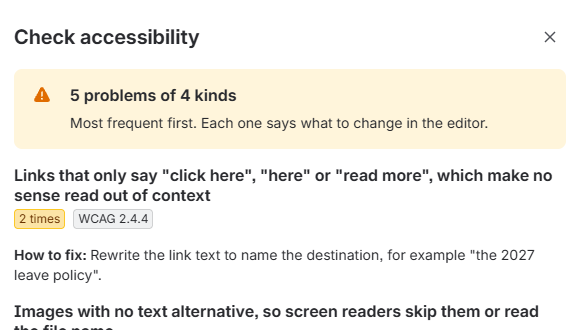
Page menu
On any page, open the … menu, then Apps, then Check accessibility.
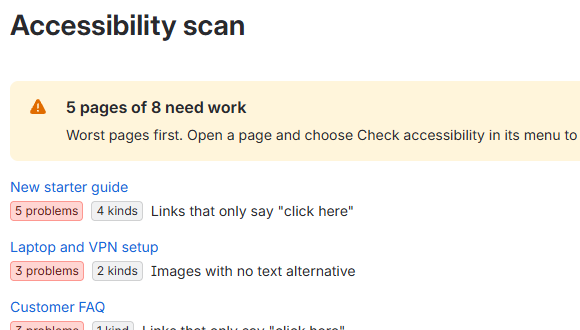
Space page
In a space's sidebar, under Space apps, open Accessibility scan. Pages come back worst first.
Rovo agent
Open Ask Rovo, switch to Accessibility Reviewer and ask "How do I fix the problems on this page?"
The same two checks are also MCP tools (Model Context Protocol), so an outside AI assistant can run them once a site admin allows it. There is a skill file that teaches an assistant how to use them.
What it checks
- Images with no text alternative, or alt text that is just a file name WCAG 1.1.1
- Links with no words, and links that only say "click here", "here" or "read more" WCAG 2.4.4
- Tables with no header row WCAG 1.3.1
- Empty headings and skipped heading levels WCAG 1.3.1 2.4.6
- Embedded content with no title, and buttons with no words WCAG 4.1.2
WCAG is the Web Content Accessibility Guidelines. Each finding names the success criterion it relates to.
Automated checks find some problems, not all. Accessible Pages never says a page is fully accessible: colour contrast, keyboard use and reading order still need a person. It never edits your pages.
Privacy in one paragraph
The app reads a page only when you ask it to, with your own permissions, so it sees only what you can already see. It runs on Atlassian's own infrastructure, stores nothing and sends nothing anywhere else. Details are in the privacy policy.